An app can display its logo quickly and still make the customer wait for the part they need. Flutter 2.8’s December performance and quality work is encouraging, but the business should measure the complete journey to a useful screen. The framework is one contributor. Network requests, account checks and application decisions can remain the largest part of the wait.
Define the moment that matters
The Flutter announcement describes work on performance and quality across the release. That is a reason to review and test an update, not to apply a demonstration’s improvement directly to every application. Different products spend their startup time on different work.
For a booking app, the useful moment may be when the next appointment can be read. For a scanning tool, it may be when capture is ready. A branded splash screen is not an adequate substitute for either outcome. Name the task before choosing the measurement.
Separate essential work from convenient work
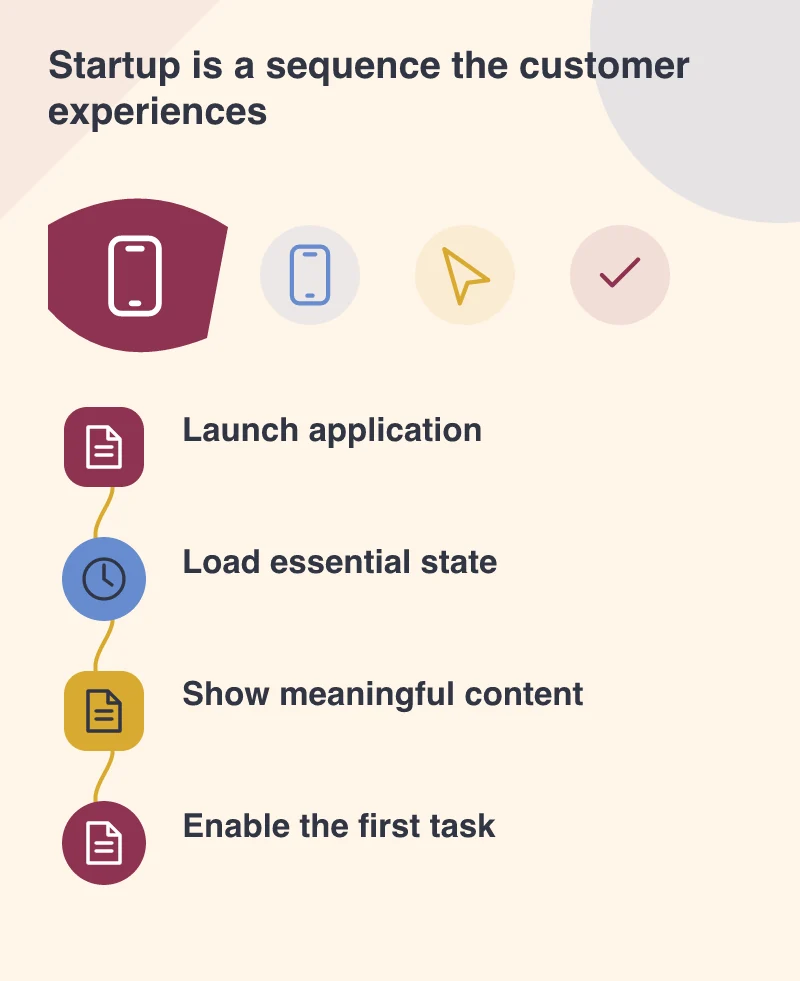
Imagine an app that requests a profile, marketing content and a large catalogue before showing the next booking. Some of that information may be useful later, but it does not all have to block the first task. Draw the startup sequence and ask which request each screen actually depends on.
The answer may be architectural rather than visual. A different loading order, a smaller initial response or a clearer account-state transition can improve the perceived experience without adding another animation to hide the same dependency.
Test more than the developer’s warm device
Compare a first launch with a return visit. Include the supported slower devices, a constrained connection and an expired session. An app that feels immediate with cached information can behave very differently when it has to establish everything again. Those differences deserve their own evidence.
Keep the app build, device and test conditions with the result. That makes a framework update easier to assess and prevents a favourable run on one phone from becoming an unsupported promise about the whole customer audience.
Keep waiting understandable
When a necessary request takes time, show a state that matches what is known. A screen can explain that it is retrieving the booking without pretending to know an exact completion time. If the request fails, offer a route to retry or use the information that remains available.
Preserve important work across interruptions. A person returning from another app should not have to repeat a completed step merely because a secondary request was restarted.
Use the release to remove assumptions
Update a protected branch, profile the representative tasks and review the suppliers or plugins involved. Compare the result with the previous build before changing several unrelated parts of the application.
Keep the interaction and its measured condition with the release notes. That gives the next developer a starting point for an investigation when the screen becomes slow again. A platform improvement is most valuable when the team can connect it to the service people actually use.