A visitor scrolls because they want to understand the next part of a page, not because they agreed to operate a presentation. Chrome 115’s July support for scroll-driven animations offers a way to connect visual progress to that movement. The interesting design question is what the movement explains. Without a clear answer, a technically elegant effect can become one more thing between the reader and the information.
Give the animation a specific subject
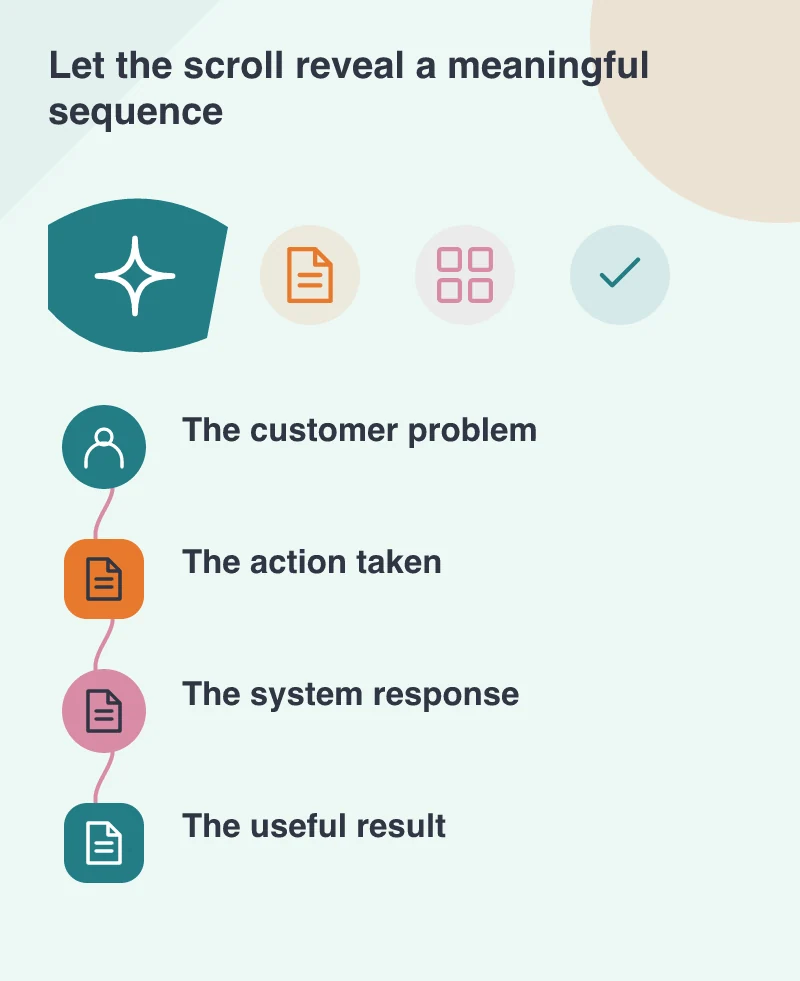
A service page could show how an order moves from a storefront to a fulfilment system. As the explanation advances, an accompanying illustration can reveal the corresponding stage. The movement helps the visitor connect the written explanation with the part of the system being discussed.
That is different from moving every decorative shape at a different speed. Multiple unrelated effects compete for attention without adding meaning. Choose one visual story with a defined beginning and result. If the sequence cannot be explained in a short sentence, it may need a clearer concept before it needs animation.
Keep ordinary scrolling ordinary
The new timelines link animation progress to scrolling or to an element’s position in its scroll container. They do not require a page to seize the scroll wheel or force the reader through a series of artificial screens. Preserve the person’s ability to move back, skip a section and reach the footer.
A long page also needs landmarks. Headings, links and visible section boundaries help visitors understand where they are. An animated illustration should support those cues rather than become the only navigation system. Someone arriving through a deep link should still be able to understand the section without replaying the whole page.
Design the still version first
Write and arrange the content so it communicates without the effect. The problem, action and result should remain present as readable text or a coherent static illustration. This gives unsupported browsers a useful version and makes it easier to respect a visitor’s reduced-motion preference.
Avoid using movement to hide essential content until a precise scroll position is reached. A person enlarging text or navigating with a keyboard may encounter the page differently from the designer’s demonstration. The story should survive those changes without leaving a missing step or an unexplained blank area.
Test the effect in the context of the task
Review the page on a representative phone, with longer content and with motion reduced. Notice whether scrolling remains responsive and whether the animation draws attention away from a button or instruction at the wrong moment. The test is the visitor’s understanding, not merely whether the timeline runs.
A useful question for a fresh reviewer is what the illustration helped them learn. If they can describe the service more clearly, the effect has earned its place. If they remember the movement but cannot explain the offer, simplify it. Scroll-driven animation makes richer visual explanations possible; it does not remove the need for a story worth following.