
You change a web app’s icon, publish the update and open the installed app on a phone. The old icon is still there. That does not necessarily mean the deployment failed. Chrome’s WebAPK update guidance describes a more frequent manifest check from Chrome 76, released in July. As teams work with that behaviour in August, it helps to separate installation metadata from the other things people call the app update.
An installed wrapper has its own update route
When Chrome installs a suitable Android PWA as a WebAPK, the package helps the app appear in the launcher and Android settings. Key manifest properties can require a new WebAPK. Chrome 76 changes the usual manifest-check interval from three days to one day. A check is still not a promise that every installed phone changes immediately after the website is deployed.
The guidance also describes conditions in which the interval is longer. Build a support explanation around that variability rather than advertising an exact delivery time. A user who keeps opening the website in a normal tab is not necessarily triggering the same process as someone launching the installed app.
There is more than one kind of freshness
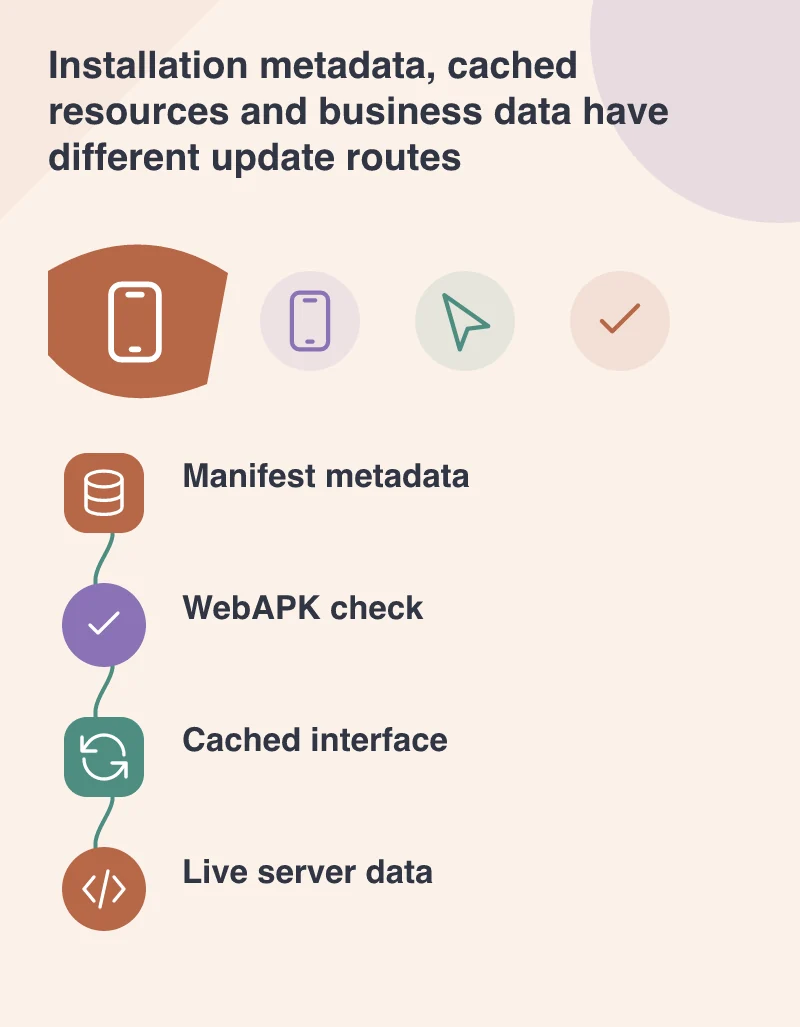
The icon and name belong to installation metadata. The page’s scripts and images may be affected by service-worker caching. Live records such as an order status come from the server. These have different responsibilities and failure modes. Treating them as one cache problem can lead to disruptive advice that clears useful drafts without fixing the original issue.
Imagine a trade-catalogue PWA whose icon has changed while the product interface remains current. That is different from a phone running an older script bundle or displaying a saved catalogue entry while offline. Ask what is actually old before prescribing a remedy. A version label in the application’s support information can help distinguish these cases without exposing technical clutter throughout the interface.
Do not make urgent business changes depend on an icon refresh
A safety notice, changed contact route or order-processing rule should be delivered through the appropriate application or server path. Waiting for installation metadata to update is not a sound way to communicate an urgent change. Keep critical business validation on an authoritative service and design a clear response when an older interface reaches it.
Test a fresh installation and an existing one during a release. Also test a returning app with a saved draft. The update should not silently discard work simply because a newer resource set is available. Decide how to notify the person if a restart or reload is genuinely required, with an opportunity to preserve their task.
Support people with a precise diagnosis
When an owner reports that the app has not updated, collect the launch route, Chrome version and the specific outdated element. Then compare the manifest, application resources and live data separately. This makes the support request much easier to reproduce than a general instruction to clear everything.
More frequent checks improve one part of the installed-PWA experience. They do not remove the need for a release strategy. A dependable app stays understandable while different devices move through the update at different times, and keeps the customer’s task safe throughout that transition.