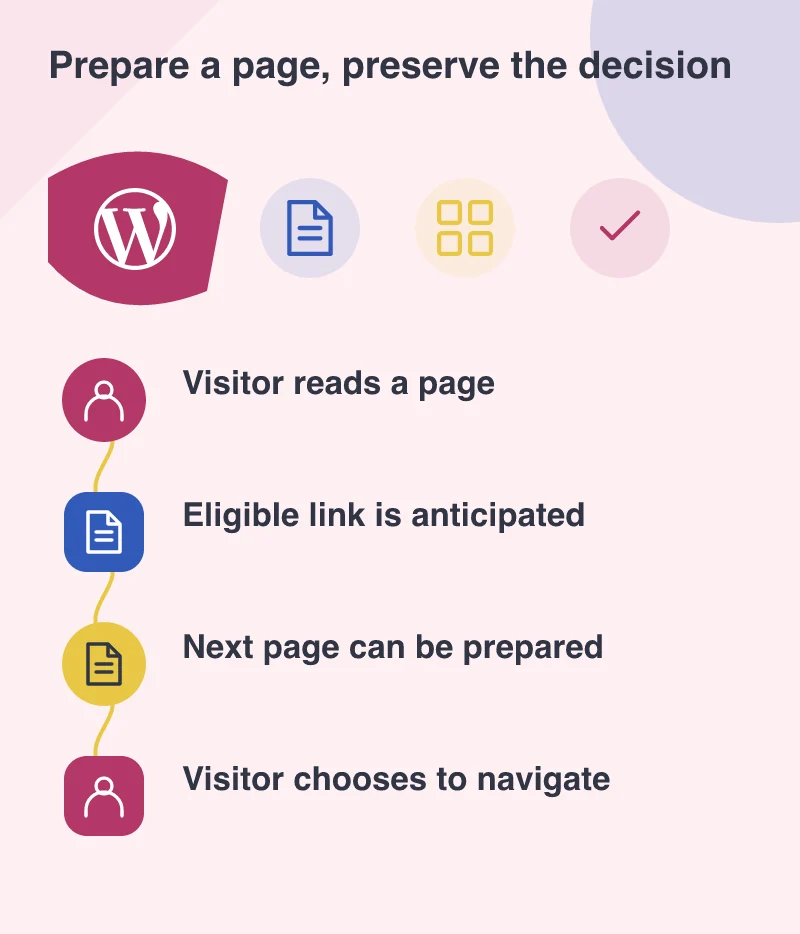
A visitor pauses over a link to your delivery information. By the time they click, the browser may already have started preparing the page. WordPress 6.8 introduces speculative loading to support this kind of smoother navigation. It is an appealing improvement, provided the website is clear about the difference between looking at something and doing something.
Treat it as an enhancement to a sound website
The April 15 release describes speculative loading as a browser-supported feature that can be controlled through code or a plugin. Older browsers can ignore it. That makes it a useful enhancement, rather than a reason to abandon ordinary links or make the site depend on prediction.
Start with pages people commonly visit together: a service overview and its detail page, an article and a related guide, a product and its delivery explanation. The next page still needs sensible images, readable content and a reasonable loading cost. Preparing unnecessary work early does not make that work free.
Audit links that change something
A normal page request should be safe to make without creating an order, subscribing someone or changing an account preference. If a legacy link performs an action merely because its URL was requested, navigation improvements can expose an existing design problem. Review these routes before treating every link as equally suitable.
Imagine a membership site where an old email link changes a preference immediately. The customer should first see what is proposed, then deliberately confirm it through an appropriate action. The same principle helps ordinary browsing, accessibility and accidental clicks, even without speculative loading.
Measure a journey, not a single score
Run a realistic sequence through the updated site. Arrive on a landing page, open a service, return, then follow a related article. Compare the experience with and without the enhancement. Watch network activity and server requests as well as how quickly the next page appears.
Do the same on a phone and on a constrained connection. A short brochure page and a large media page may justify different treatment. Keep the settings understandable enough that a future editor or developer can explain why a route has been included or excluded.
Keep the editorial path worth following
A faster transition only helps when the link is useful. “Learn more” repeated across a page asks visitors to guess. A label such as “See delivery areas and lead times” tells them what the next page can resolve. Good anticipation begins with a clear editorial relationship between pages.
WordPress 6.8 gives a lightweight site another way to feel responsive. Pair it with safe requests and purposeful links, then verify the actual journey. The strongest result is a visitor reaching the answer smoothly, without background preparation taking a decision on their behalf.